


Samsung Email
Samsung Electronics Co., Ltd.
I spent time using Samsung Email as a practical inbox rather than treating it like a feature checklist, and that distinction matters. This is a productivity app built for people who want email to feel like a normal part of their Galaxy phone, not another service demanding constant attention. It is free, aimed at Everyone, and developed by Samsung Electronics Co., Ltd. Its appeal is less about novelty and more about how naturally it fits into everyday Android use.
The app has been around since January 15, 2017, and its current version is 6.2.13.1. That long presence gives it a mature feel, while the version number shows that Samsung continues to maintain the client rather than leaving it as a forgotten preinstalled utility. It requires Android 10 or later, so most recent Galaxy owners can use it, but anyone with an older phone should check compatibility before planning a switch.
How Samsung Email feels in daily use
My first impression is that Samsung Email is deliberately straightforward. The inbox is the center of attention, messages are easy to open, and the app does not try to turn email into a social feed, task manager, or news dashboard. For me, that restraint makes it comfortable when I need to process messages quickly between other tasks.
The strongest use case is a Galaxy owner who manages one or more ordinary email accounts from a phone. Work messages, personal mail, receipts, appointment confirmations, and school communications can all live in one familiar place. The app is especially sensible if you prefer using the email addresses you already have instead of moving everything into a new provider.
Samsung’s scale also gives the app a reassuring level of visibility. It has passed one billion installs and holds an average rating of 4.4 from around two and a half million ratings, with roughly 156 thousand written reviews. Those figures do not prove that every user will enjoy it, but they do suggest that this is a well-established client rather than an experimental download.
Latest News

Uber Eats Under Pressure: What Happens When Delivery Goes Wrong

How QR & Barcode Scanner Adapts to Android and iOS Innovations

Why Waze Navigation & Live Traffic Is Your Essential Travel Companion

CapCut Mastery: Unleash Hidden Features for Pro-Level Editing

How OS Updates Enhance Roblox Adventures

Teacher Simulator: Exam Time Turns Quick Classroom Judgments into a Repetitive Loop
In a normal morning scenario, I could open the inbox while commuting, scan the sender and subject lines, answer a short message, and leave a longer reply for later. That sounds basic, but a mobile email app succeeds when those small actions do not become a chore. Samsung Email generally keeps that flow uncomplicated.
Account setup and the practical trade-off
The app makes the most sense when your email life is spread across accounts that you want to check from one interface. That can reduce the need to jump between separate provider apps, especially when your priority is reading and replying rather than using every specialized feature offered by each service.
The trade-off is that a unified inbox can blur boundaries. If you mix personal and work accounts, it becomes important to pay attention to the account identity before sending. I would not treat the convenience of one inbox as permission to stop checking which address is active. A quick glance before replying is a small habit that prevents an embarrassing mistake.
Gallery
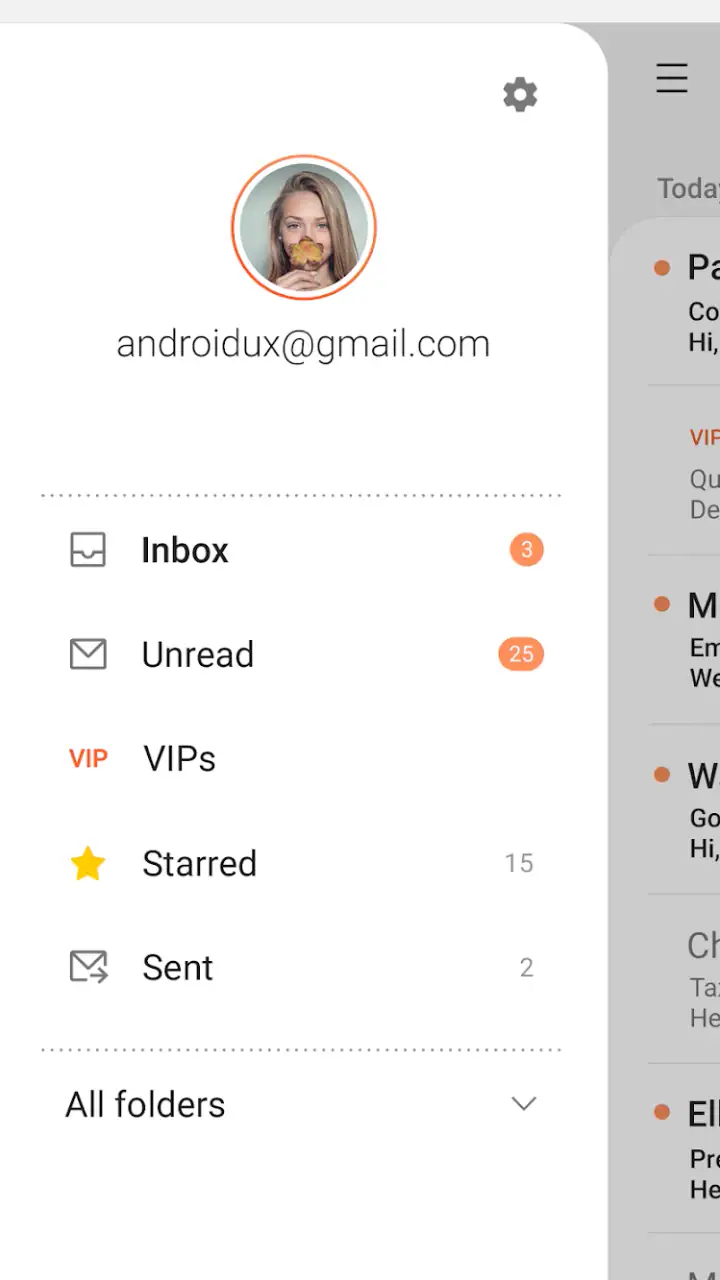
I also found that Samsung Email is better suited to people who value a traditional folder-and-message approach than to users who want an aggressively automated inbox. If your preferred workflow depends on elaborate labels, provider-specific collaboration tools, or a highly visual task system, a dedicated service app may fit better.
Useful habits that make the app easier to manage
One helpful approach is to separate quick decisions from later work. When I open a message, I try to decide whether it needs an immediate answer, can be archived, or should remain available for a later reply. This prevents the inbox from becoming a list of messages that I have technically read but have not actually dealt with.
Another practical tip is to keep notifications intentional. Email alerts can become noisy when every newsletter, receipt, and automated update receives equal attention. I prefer using the app for important communication and reducing interruptions from low-value mail through account or inbox management rather than allowing every incoming message to control my day.
A third useful habit is to search before manually scrolling through a crowded inbox. On a phone, repeatedly swiping through old messages is slow and error-prone. Searching by a distinctive sender or phrase is usually a better route to a reservation, attachment, or previous conversation than relying on memory about when it arrived.
What the current version means for existing users
The current 6.2.13.1 release is best understood as part of an ongoing maintenance cycle, not as a reason to expect a completely different email experience. For someone already using Samsung Email, the main value of staying current is continuity: the client remains aligned with a modern Galaxy environment and avoids the uncertainty of relying on an old installation.
I would be cautious about promising dramatic changes based only on a version number. A release identifier confirms where the app stands now, but it does not automatically mean that every user will notice a new workflow. In practice, existing users should judge the update by whether account handling, message access, notifications, and everyday reliability remain comfortable on their particular phone.
That is also where Samsung’s role matters. Because Samsung Electronics Co., Ltd. develops the app, Galaxy users may find it more coherent than a third-party client that looks and behaves differently from the rest of the phone. The benefit is not necessarily a long list of exclusive tools; it is the sense that email belongs to the same device experience.
For a person who already has years of messages and several accounts configured, changing clients can create unnecessary disruption. Contacts, folders, notification habits, and attachment routines all need to be relearned. If Samsung Email already handles your essential tasks without friction, staying with it is a reasonable decision. Familiarity has real value in a utility app.
Where it compares well with common alternatives
Compared with a provider-specific email app, Samsung Email feels more neutral. A dedicated Gmail-style client may be the better choice if your entire workflow depends on that provider’s search, conversation organization, calendar connections, or service-specific tools. Samsung Email is more attractive when you want a general-purpose front door for multiple accounts.
Compared with a highly customizable third-party client, Samsung’s app is less likely to feel like a project. Some alternative clients offer deeper visual customization, elaborate swipe actions, or specialized privacy and organization controls. Those can be valuable, but they may also add settings that take time to understand. Samsung Email favors a more conventional experience.
Compared with using webmail in a mobile browser, the dedicated app is more convenient for repeated checking. A browser tab makes sense for occasional access or when you need a provider’s full desktop-style interface. For everyday reading and replies, I would rather use the focused app than repeatedly sign in through a browser window.
The important distinction is not that Samsung Email wins every comparison. It wins when your priority is a familiar, free, mobile-first inbox on a compatible Galaxy device. It loses ground when your email habits depend on advanced provider integration or unusually deep customization.
Small workflow decisions that save time
When replying from a phone, I recommend keeping the first response focused. Samsung Email is convenient for short answers, confirmations, and quick decisions, but a long, complicated thread can be harder to review on a small screen. If the conversation involves several people or sensitive details, I prefer rereading the recipient line and the quoted context before sending.
Attachments deserve the same care. Mobile email is excellent for opening a document while away from a desk, but it is not always the ideal place to inspect every detail. I use the app to locate and share files quickly, then move to a larger screen when the message requires careful editing or document review.
For people who receive a lot of automated mail, the real improvement may come from reducing clutter at the account level rather than expecting the app to solve everything. A clean inbox makes any client feel faster. Samsung Email can be the viewing and responding tool, but it cannot replace sensible decisions about subscriptions, senders, and messages that no longer deserve attention.
Remaining gaps and who should skip it
My biggest reservation is that Samsung Email is not the obvious choice for every email identity. If your day revolves around one provider’s ecosystem, its official app may offer a more complete picture of related services and account activity. In that situation, Samsung Email can feel like a capable mailbox that stops short of becoming your wider productivity hub.
I would also hesitate to recommend it to someone who wants email to behave like a visual project board. The app is fundamentally about messages. It can support a workflow, but it does not replace a dedicated task manager, shared workspace, or document collaboration platform. Trying to force it into those roles would make the experience feel more limited than it needs to be.
People who still use phones below Android 10 should skip the installation unless they are moving to a compatible device. The minimum operating-system requirement is a practical boundary, not a minor detail. Likewise, iPhone users should look for an email client designed for iOS rather than choosing this app simply because Samsung is a familiar electronics brand.
Privacy-conscious users should make their own decision based on the accounts they plan to connect and the controls they expect from an email client. I would not connect every account automatically just because the setup is convenient. Start with the mailbox you use most, observe how the workflow feels, and then decide whether adding another account genuinely simplifies your routine.
Questions I would ask before switching
Is it free? Yes. That makes it easy to test without committing money, and the absence of a purchase barrier is one of its clearest advantages for Galaxy owners who want a replacement for browser-based mail or a crowded collection of provider apps.
Is it suitable for a family member who is not especially technical? Often, yes. The conventional inbox layout and Everyone content rating make it approachable for ordinary communication. I would still configure the account carefully and explain how to check the sending address, because the most common mobile email mistakes are usually workflow mistakes rather than interface mysteries.
Can it replace a desktop email program? For reading, replying, searching, and handling routine messages, it can cover a lot of daily needs. I would not expect a phone client to be equally comfortable for long writing sessions, heavy attachment work, or large-scale mailbox administration. Samsung Email is a strong companion and can be a primary client for light use, but a desktop remains more comfortable for intensive correspondence.
Should an existing Samsung Email user move immediately to another app? Not necessarily. If the current setup is reliable and the account experience is clear, changing purely for novelty may create more work than value. I would switch only when a specific limitation affects you repeatedly, such as needing provider-centered tools, a different organization model, or more customization than this client provides.
What I would watch going forward
With a mature app like this, I would watch for improvements that reduce friction rather than flashy additions. Better handling of crowded inboxes, clearer account separation, dependable notifications, and smooth attachment workflows matter more to me than decorative redesigns. These are the areas that determine whether an email client remains useful after the first week.
I would also pay attention to how the app continues to serve both simple and demanding users. A clean interface is valuable, but experienced users eventually want shortcuts and control. The challenge is adding depth without turning a straightforward mailbox into a settings maze. Samsung’s future choices will be most successful if they preserve the calm basic workflow while making advanced actions easier to discover.
For now, my recommendation is fairly clear. Samsung Email is a sensible free productivity app for Galaxy owners who want one familiar place to manage everyday email. Its strength is dependable simplicity and device fit, not an attempt to become every productivity tool at once.
I would recommend it to someone who wants a traditional mobile inbox, needs to handle multiple ordinary accounts, and prefers a Samsung-made experience. I would point a power user toward a provider’s official client or a more customizable alternative if their work depends on specialized integrations. For everyone in between, the best test is practical: install it on a compatible phone, connect the account you use most, and see whether checking, replying, searching, and handling attachments feel natural.
After using it that way, I see Samsung Email as a steady tool rather than an exciting one, and that is a compliment. Email rarely needs drama. When the app stays out of the way and lets me deal with messages quickly, it is doing its job well.
FAQs for Samsung Email
What features does the Samsung Email app offer?
Samsung Email provides a comprehensive suite of features including support for multiple email accounts, a unified inbox, and synchronization with popular email services like Gmail, Yahoo, and Microsoft Exchange. It also offers a variety of customization options, such as email formatting tools, spam filters, and a user-friendly interface that makes managing emails efficient and straightforward.
Is Samsung Email compatible with non-Samsung devices?
Yes, Samsung Email is compatible with most Android devices, not just Samsung phones. Users can download the app from the Google Play Store and enjoy its features, regardless of their device brand. However, some advanced features may be optimized for Samsung devices, providing a slightly enhanced experience on Samsung hardware.
How secure is the Samsung Email app?
Samsung Email prioritizes user security by providing advanced encryption options and support for secure email protocols like S/MIME. It also includes tools for managing spam and phishing attempts, ensuring that your sensitive information stays protected. Regular updates from Samsung further enhance security by patching vulnerabilities and improving the app's resilience against threats.
Can Samsung Email handle multiple email accounts simultaneously?
Absolutely. Samsung Email allows users to add and manage multiple email accounts from different providers seamlessly. The app supports a unified inbox, making it easy to view and organize emails from all accounts in one place. Users can switch between accounts effortlessly and customize settings for each account individually.
What are the main pros and cons of using Samsung Email?
Pros of using Samsung Email include its robust feature set, ease of use, and compatibility with various email services. It offers excellent security features and a clean interface. On the downside, some users may find the app less intuitive compared to other email clients, and certain features may work best on Samsung devices, limiting the experience on other brands.
Pros
- Intuitive interface for easy navigation.
- Supports multiple email accounts seamlessly.
- Advanced spam filtering options.
- Highly customizable notification settings.
- Offline access to emails.
Cons
- Limited third-party app integrations.
- No built-in calendar feature.
- Occasional sync issues reported.
- Lacks advanced search filters.
- Some features hidden in menus.


